


 Turkey (Türkçe)
 Worldwide (English)
WordPress categories are handy for you to organize posts. You can create categories and sub-categories, while posts can be assigned to multiple categories.
1. Log in to the WordPress dashboard.
2. From the Dashboard menu, go to Posts and click on Categories.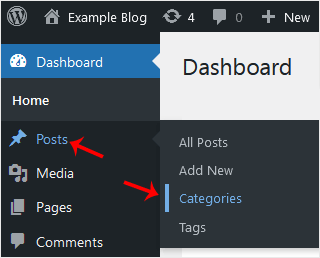
3. Enter the following details in Add New Category:
Name: Enter your category name, such as Computer.
Slug: Enter a slug name or leave it blank.
Parent: Leave this at None, or should you select a category, it will become a sub-category of your chosen category.
Description: Enter your category description, or simply leave it blank.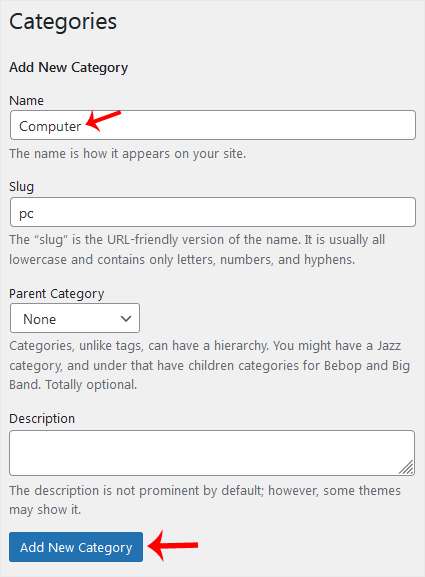
4. Click on Add New Category.
Your new category has been created.