


 Türkiye (Türkçe)
 Worldwide (English)
Follow this tutorial to remove your Debit or Credit Card from your PayPal account.
1. Log in to your PayPal account.
2. On top of the menu, click on Wallet.

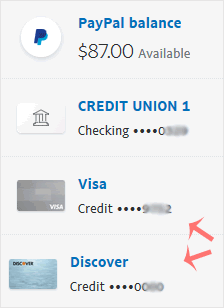
3. Click on the card you want to remove from the left side.
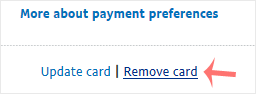
4. Scroll down and click on Remove Card.
5. Confirm with Yes or Remove This Card.
Once removed, it will display a confirmation message.