


 Türkiye (Türkçe)
 Worldwide (English)
You can set up custom/private nameservers from WHM.
1. Log in to WHM Account.
2. Go to Server Configuration >> Basic WebHost Manager® Setup or type Basic in the menu filter box. The option will appear. Click on it.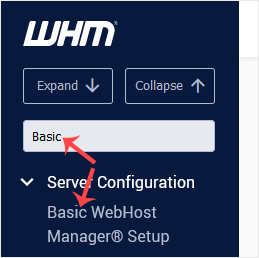
3. Under Nameservers, select Explicitly Set the Nameservers. Enter or change the nameservers. Then click on Save Changes.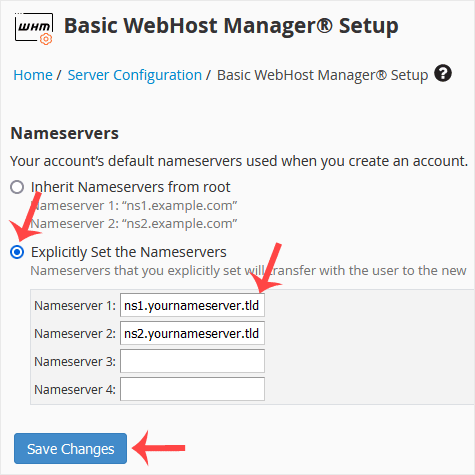
Note: Domain propagation takes up to 24 hours.